|  Spell Checking, Thesaurus Spell Checking, Thesaurus | |
Supported Spell Checkers in TRichView (VCL)
TRichViewEdit does not have its own spell checking capabilities, but it provides a programming interface for popular shareware and freeware spell checkers:
For the most of the spell checkers (Addict 4, ExpressSpellChecker, HunSpell, ASpell) two types of dialogs are available: a traditional dialog and an MS Word-style dialog.
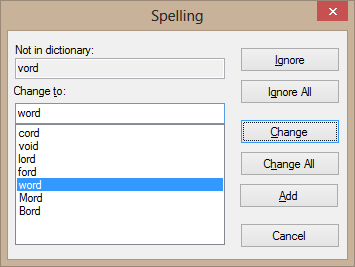
Classic spelling dialog
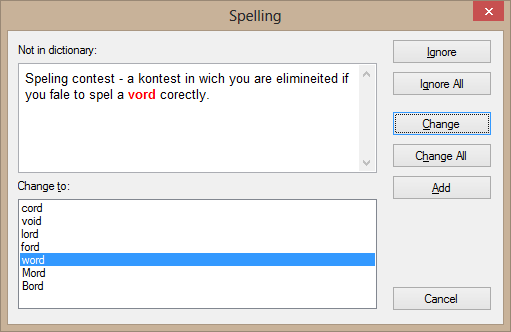
Modern spelling dialog
Live spelling check (background spelling check)
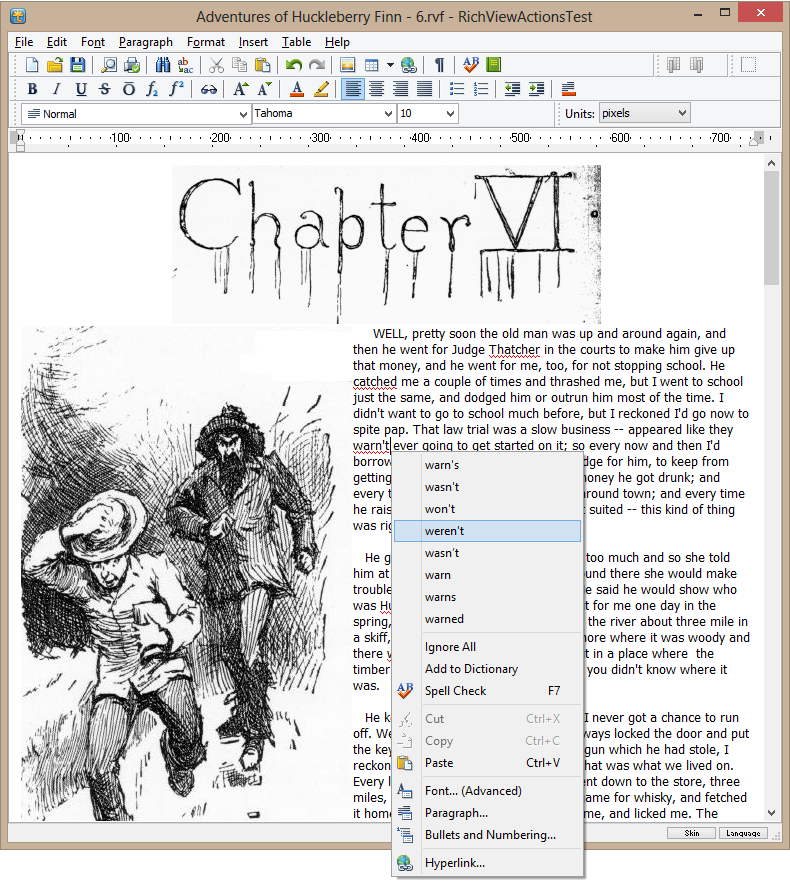
The components can perform spelling check in background and mark misspelled words with special underlines. This process is called live spelling check.
A compiled demo project is included in “TRichView Showcase”.
This demo shows how to use Addict 4 in TRichViewEdit: live spelling check, spelling check with a dialog, autocorrection on typing (“autocorrect.adu” must be included in the list of dictionaries).
|